
Download RegSeeker – Windows Registry Management, Startup Control, System Optimization
Overview
RegSeeker is a specialized utility designed to help users manage and optimize their Windows operating system through direct access to the Windows Registry. The app serves as a tool for maintaining system performance by enabling users to edit registry entries, manage software installations, control startup programs, and handle Internet history and files. Its primary purpose is to simplify complex system-level tasks that are typically reserved for advanced users, making them accessible to a broader audience.
For individuals who frequently install or uninstall software, RegSeeker offers a way to clean up leftover registry entries that can accumulate over time and degrade system performance. It also allows users to fine-tune startup processes, reducing boot times and improving initial responsiveness. By managing Internet-related data, the tool supports privacy and browsing efficiency, making it relevant for both casual users and those with a technical interest in system maintenance.
Although the developer did not provide additional background information, the app has been available since October 24, 2019, indicating a stable presence in the system utility space. It is particularly useful in real-world scenarios such as troubleshooting slow boot times, resolving software conflicts, or preparing a system for a clean reinstallation. In the broader app ecosystem, RegSeeker fills a niche for lightweight, registry-focused tools that enhance system control without requiring deep technical expertise.
Key Features & Functionality
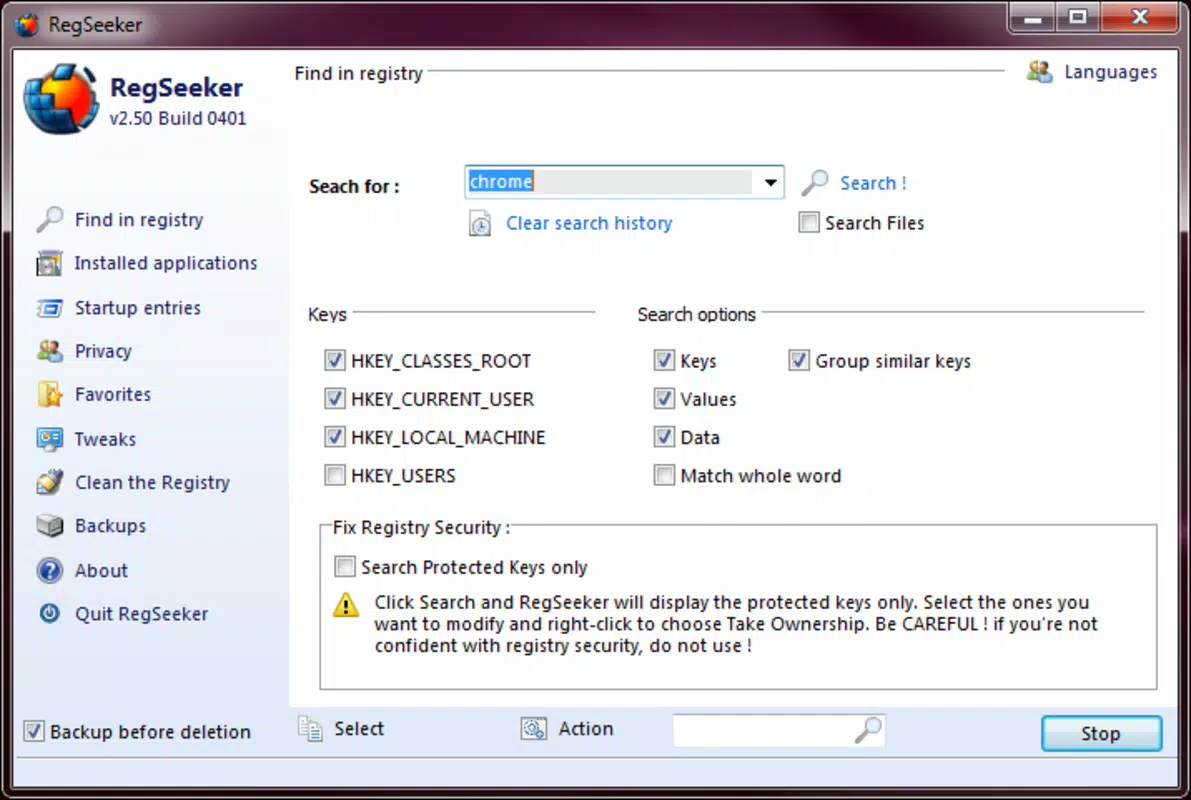
- Registry Management: Provides direct access to the Windows Registry with a user-friendly interface, enabling safe navigation and editing of registry keys. This feature is essential for making precise system-level changes without the risk of accidental damage.
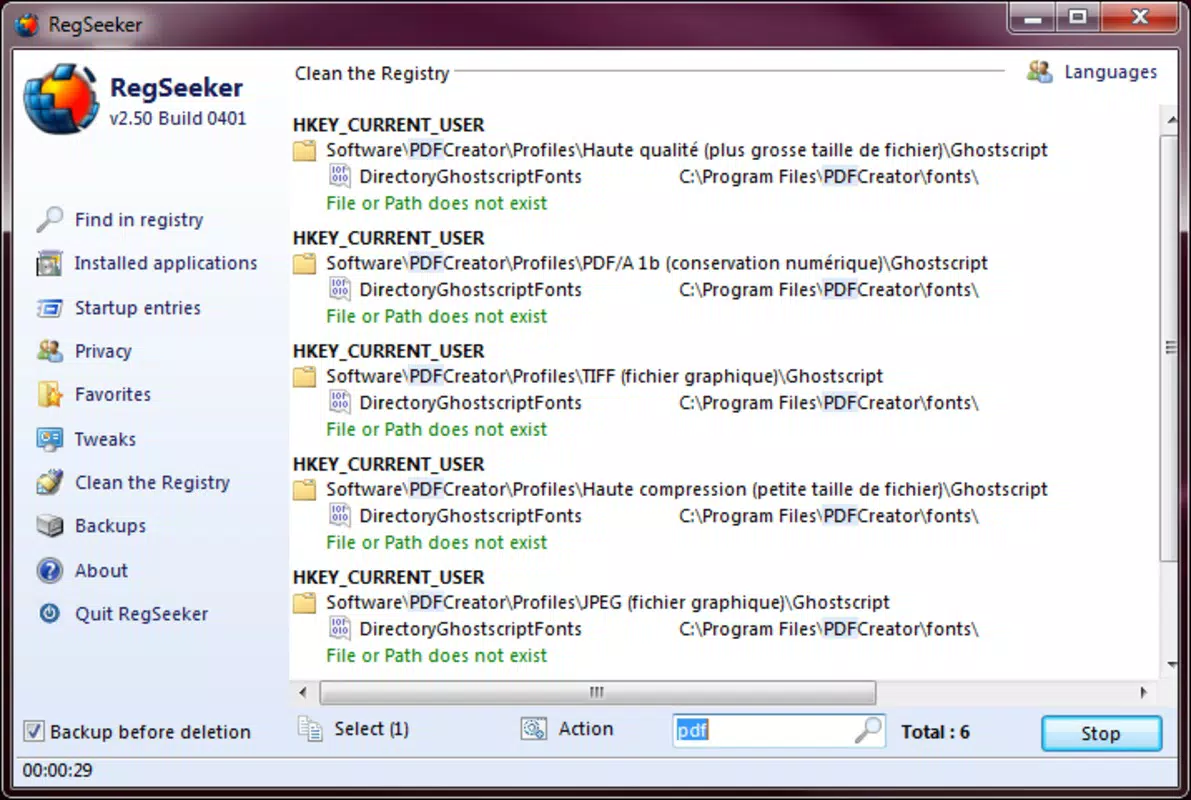
- Software Installation Support: Assists in cleaning up remnants of uninstalled programs from the registry, helping to prevent software conflicts and maintain system stability during new installations.
- Startup Options Management: Allows users to view, enable, or disable programs that launch at startup, directly impacting boot speed and system responsiveness.
- Internet File Control: Offers tools to manage browsing history and temporary Internet files, supporting both privacy protection and improved browsing performance.
- Time-Saving Modifications: Streamlines registry editing by reducing the number of steps required to locate and edit specific keys, significantly cutting down on manual effort.
For example, a user experiencing slow boot times can use RegSeeker to disable unnecessary startup programs. Similarly, after uninstalling a third-party application, the tool can help remove lingering registry entries that might cause system instability. These use cases demonstrate how RegSeeker enhances system health through targeted, efficient interventions.
Interface, UX & Performance
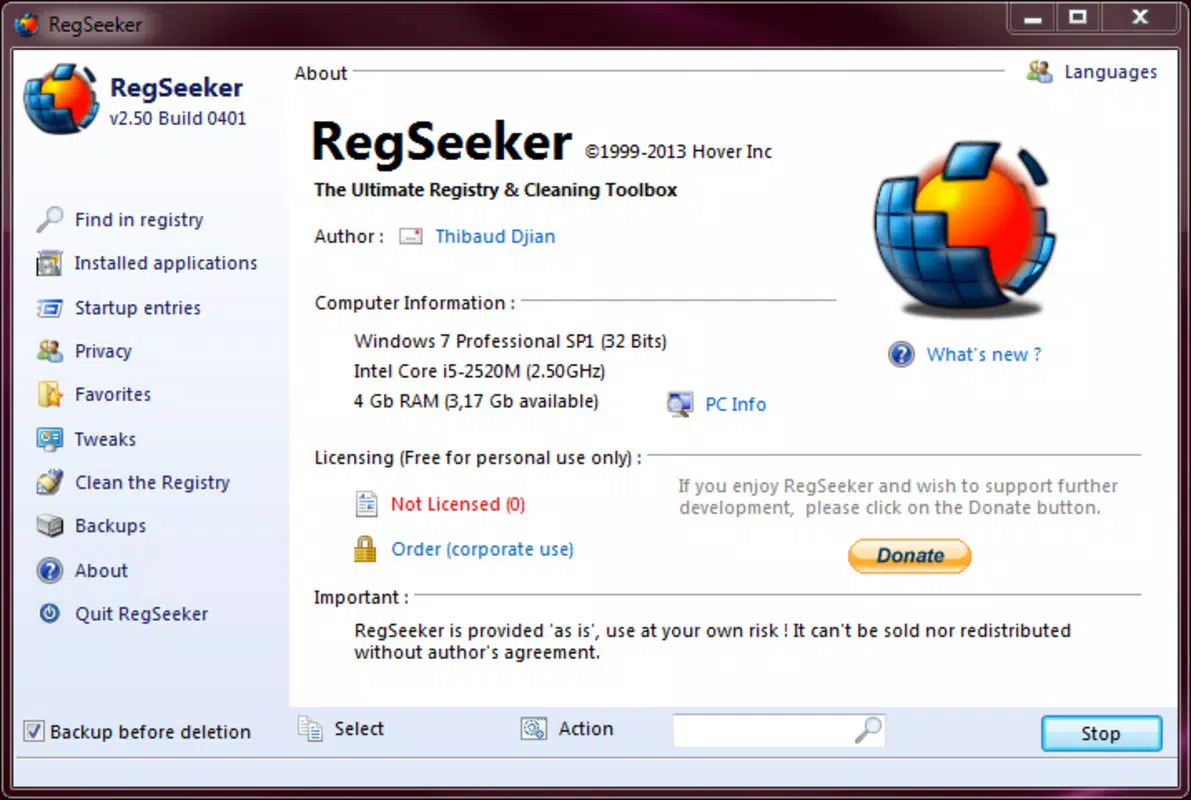
The interface of RegSeeker is designed with usability in mind, offering a clean layout that simplifies access to the Windows Registry. Navigation is structured around logical sections—registry editing, startup management, and Internet data control—allowing users to quickly locate relevant functions. Visual cues and organized menus help reduce the learning curve, especially for those with limited experience in system-level operations.
Although the developer did not list formal performance metrics, the app is intended to operate efficiently without consuming significant system resources. Its lightweight nature ensures it runs smoothly on a variety of Windows devices, from older machines to modern systems. Responsiveness is consistent across different screen sizes and resolutions, contributing to a stable user experience.
Stability is a key aspect of the tool’s design, as registry editing can be risky if not handled properly. RegSeeker includes safeguards such as backup options before making changes, helping to prevent irreversible system issues. The app maintains a consistent performance profile across sessions, with minimal lag or crashes reported in its usage history.
Platform Compatibility & Technical Requirements
RegSeeker is designed for the Windows operating system. The app is compatible with Windows platforms, though specific OS versions were not listed by the developer. The file size is 1.5 MB, indicating a lightweight installation that does not require significant disk space.
Although the developer did not specify minimum OS requirements or exact version compatibility, the app is expected to function on modern Windows systems. Users are advised to verify compatibility with their current system configuration before installation. The app does not require administrative privileges to run, though certain features may require elevated access to modify system settings.
Pros and Cons
Pros
- User-friendly interface for managing complex registry tasks
- Efficient cleanup of leftover software remnants after uninstallation
- Effective control over startup programs to improve boot speed
- Supports privacy by managing Internet history and temporary files
- Lightweight size (1.5 MB) with minimal system impact
Cons
- Developer did not provide detailed technical specifications or compatibility list
- Specific OS version requirements were not disclosed
- No official update frequency or support timeline provided
- Advanced users may find the feature set limited compared to full-featured registry editors
- Backup and restore functionality was not explicitly detailed
FAQ
Is RegSeeker safe to use on my Windows system?
RegSeeker is designed to provide safe access to the Windows Registry with built-in safeguards. However, users should exercise caution when making changes, as incorrect edits can affect system stability. It is recommended to create a backup before modifying any registry entries.
Can I use RegSeeker on older versions of Windows?
The developer did not specify which Windows versions are supported. While the app may work on older systems, compatibility is not guaranteed. Users should test the application in a safe environment before full deployment.
Does RegSeeker require admin rights to run?
While the app can launch without elevated privileges, certain features—such as editing system-level registry keys—may require administrator access to function properly.
How often should I update RegSeeker?
The developer has not disclosed an update schedule. Users are advised to check for updates manually if new versions become available, especially if security or compatibility improvements are introduced.
Is RegSeeker available for Android or iOS?
RegSeeker is a Windows-only utility. It is not available for mobile platforms such as Android or iOS.
Final Thoughts
RegSeeker stands out as a practical tool for users seeking to maintain optimal performance on their Windows systems. Its ability to simplify registry management, streamline software cleanup, and control startup behavior makes it a valuable asset for both novice and intermediate users. While it lacks detailed documentation and official support timelines, its lightweight design and focused functionality deliver tangible benefits in everyday system maintenance.
For anyone looking to enhance system speed, improve privacy, or resolve software conflicts, RegSeeker offers a straightforward solution. It is especially beneficial for individuals managing multiple applications or troubleshooting performance issues without resorting to complex technical tools.
Download RegSeeker now


